
My Lightroom Desktop Presets

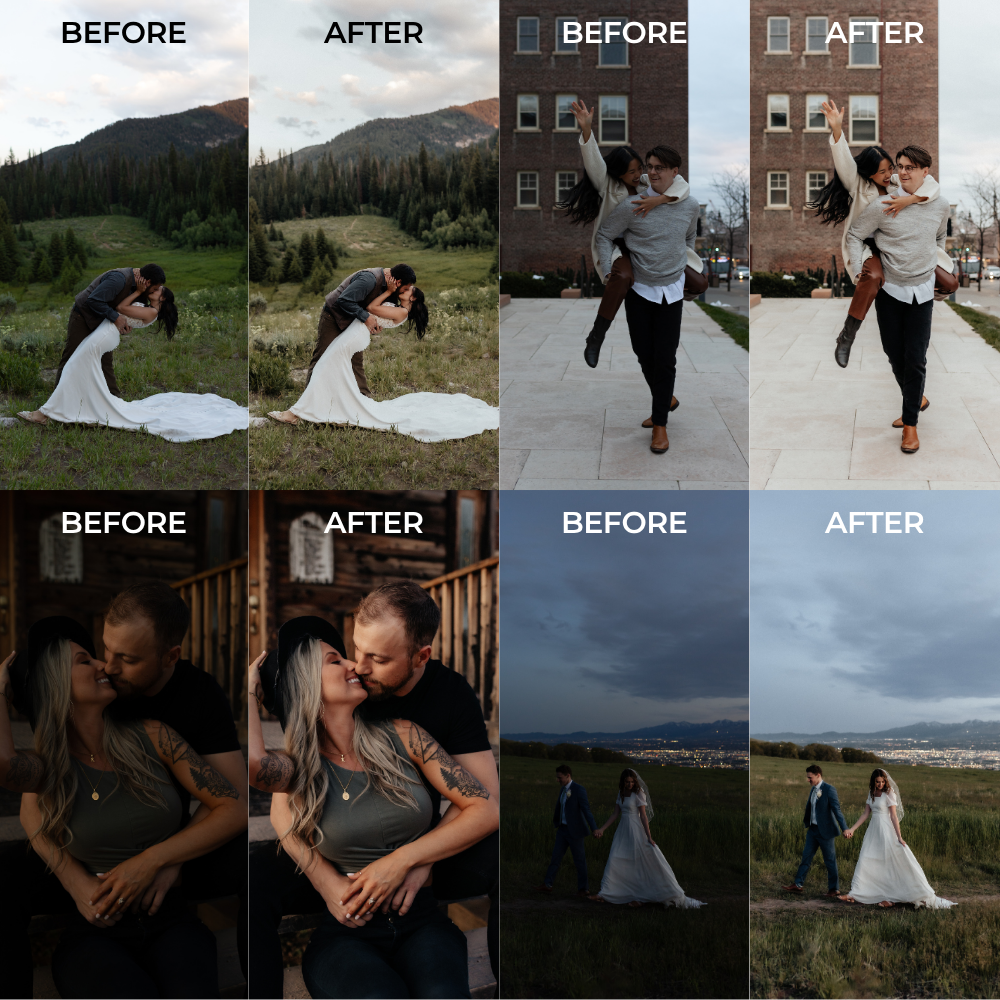
My goal when editing is always to enhance natural beauty, and these presets will help you achieve that in your photos.
I’ve spent years trying to nail down the perfect True to Color preset. I cannot promise ‘one-click edits’, or that you will not have to make your own adjustments once these presets are applied, but these are my go-to personal presets for ALL of my photography sessions and I hope you love them as much as I do!
I wanted to offer a pack that came with small adjustments based on the lighting situation you’re shooting in. Each preset uses the same base to achieve a consistent color palette, and then minor adjustments are made to compensate for different lighting circumstances.
What's Included?
Once purchased, you’ll receive all 8 presets, step by step instructions for how to import these presets into Lightroom, AND a free 40 minute editing tutorial video on how I use and adjust my presets.
Preset #1:
Preset #5:
Studio
open shade
Preset #2:
Preset #6:
Direct Sun
Blue hour
Preset #3:
Preset #7:
sunset
flash
Preset #4:
Preset #8:
overcast
black & white
STudio
direct sun
sunset
overcast


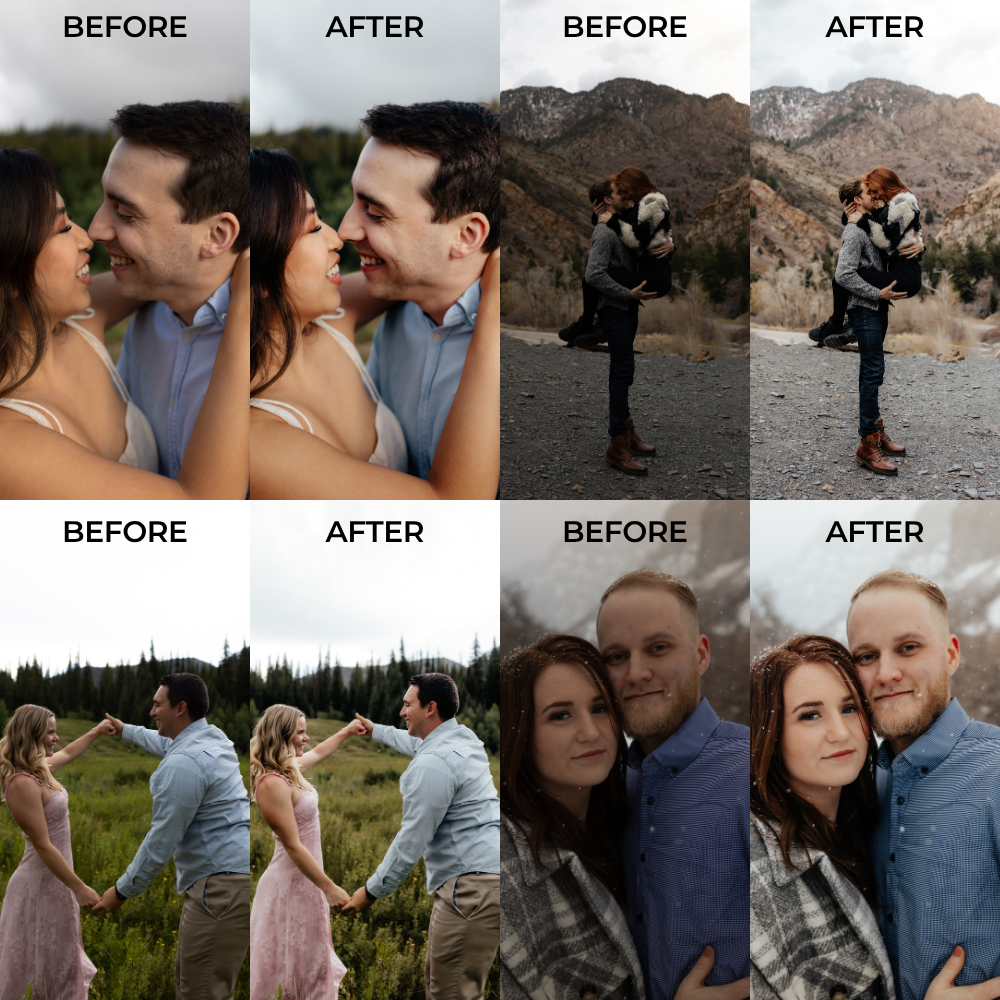
black & white
flash
blue hour
open shade




What I love about these presets
Beautifully softens skin without losing its natural texture.
Preserves and enhances natural colors without oversaturating.
The perfect amount of grain for images to remain timeless.
Creates deep shadows and subtle highlights without high levels of contrast.
Helps you achieve consistency in your portfolio no matter the lighting situation.

What's different about these presets?
The consistency.
All 8 presets use a similar base with small adjustments based on the lighting situation you're in.
This means that even if you use the 'Sunset' preset on one photo, and the 'Overcast' preset on another, your whole gallery will still look cohesive. (and so will your instagram feed!)
FAQ
Are these presets compatible with all camera brands?
I've worked hard on these presets to make them as seamless as possible, and have tested them on numerous photographers RAW images. So whether you shoot with Canon, Sony, Nikon, etc. these presets will work for you!
Can I purchase individual presets and not the entire pack?
Since these presets all compliment each other and use the same base, I am not offering them as individual presets at this time.
IS there a mobile version?
Yes! The mobile version is also available on my Etsy shop, and you can learn more @madi.aldy.presets on Instagram.
How can I get the most out of these presets?
These presets work best with RAW file images. I personally use an Expodisc for getting the correct White Balance in camera. I would recommend that, or using Kelvin to get the WB as close to what your eye sees in real life. This will allow for less adjustments in editing, and help keep skin tones true to color.
How do I download the presets?
I’ve included step by step instructions within this preset pack. Once purchased, you’ll receive all 8 presets, instructions for importing these presets into Lightroom, AND a free editing tutorial video from yours truly on how I use and adjust my presets.
